
Note: Executive Dashboard can be accessed by Owner and Admin roles.
TL;DR:
- Limit access to Owner and Admin roles.
-
Require at least 20 active users in the company account.
Gain executive-level visibility into organization-wide productivity and workforce analytics with the Executive Dashboard. Ensure the following requirements before accessing the dashboard:
- Roles: Access is limited to Owner and Admin users.
User count: Company must have at least 20 users in the account.
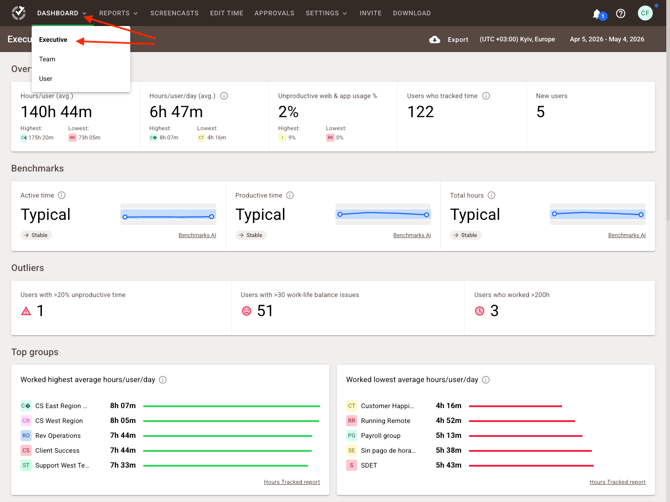
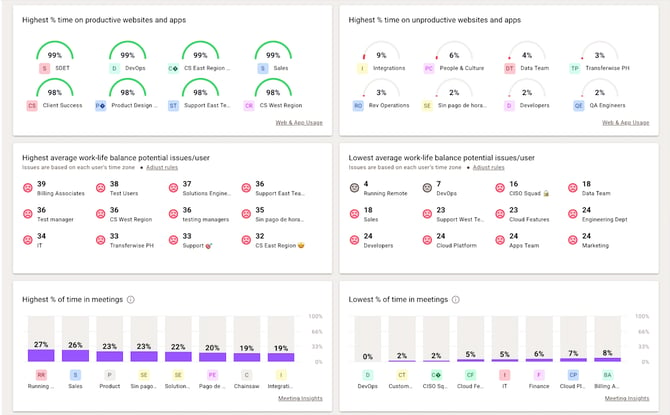
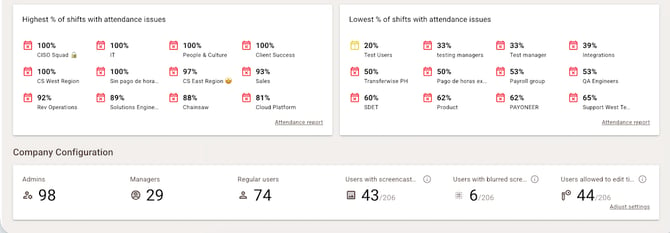
Where to open the Executive Dashboard
-
Go to Dashboard → Executive
Verify eligibility
- Confirm the Owner or Admin role on Settings → Users.
-
Confirm the company has 20+ users in the account.
If access is not available
- Adjust roles: Promote the intended viewer to Admin (or confirm Owner) in Settings → Users.
-
Meet user threshold: Add users until the account has 20 or more to unlock the dashboard.
Should there be any inconsistencies or concerns regarding the article, contact support@timedoctor.com for prompt assistance.