
TL;DR
The login expired banner appears in Time Doctor when your credentials change or your authentication token expires (approximately every 6 months). To resume syncing, sign out and sign back in. Note: any time entries recorded while the banner was active will not sync to the dashboard until you complete the sign-out and sign-in process.
The login expired banner appears in Time Doctor for one of the following reasons:
- Your account username or password was changed.
- Admin updated account credentials via API.
- The authentication token expired (typically every 6 months, unless a credential change occurs first).
How to Fix the Login Expired Banner
- Sign out from the application.
- Sign back in immediately.
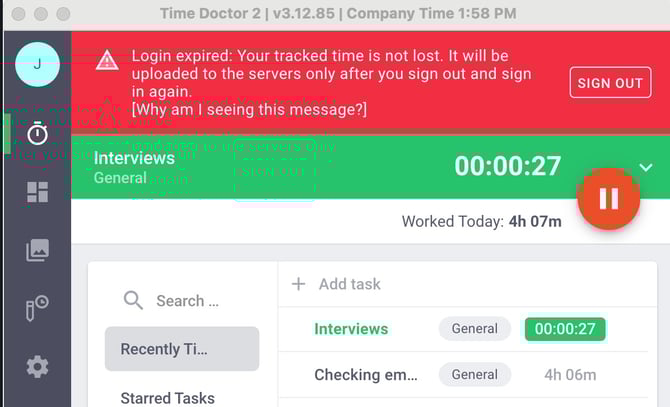
Note: Time entries recorded while the banner was active will not sync to your Time Doctor dashboard until you sign out and sign back in.
Should there be any inconsistencies or concerns regarding the article, contact support@timedoctor.com for prompt assistance.